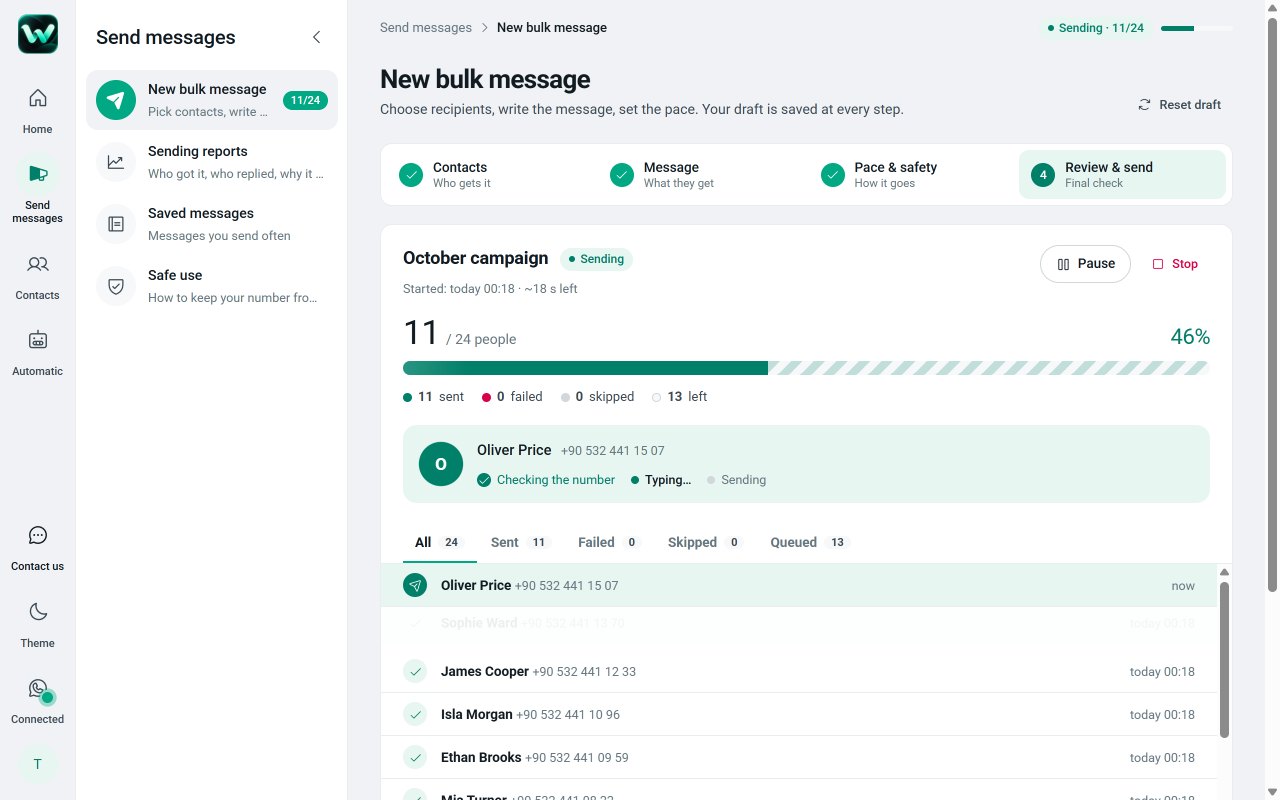
Personal messages to your customers from your own WhatsApp account, with scheduling, keyword auto-replies and delivery reports.
MessagingFree · Pro from $6.58/mo
Eklentio is a family of focused Chrome extensions. Each one does one job, right inside a website you already use. Free to install, private by design.
See who unfollowed you and who doesn’t follow you back, and export your followers to Excel.
In developmentPersonal messages to your Telegram contacts, with scheduling, keyword auto-replies and reports.
In developmentExport WhatsApp chats with photos and voice notes to PDF, Excel or HTML in one click.
In developmentTrack your TikTok followers and following, spot unfollowers and export the lists to Excel.
In developmentWorks inside the sites and browsers you already use
Messaging, social insights, backup and export. Each extension has its own page explaining exactly what it does, what it stores and what it costs.
All extensionsPersonal messages to your customers from your own WhatsApp account, with scheduling, keyword auto-replies and delivery reports.
See who unfollowed you and who doesn’t follow you back, and export your followers to Excel.
Personal messages to your Telegram contacts, with scheduling, keyword auto-replies and reports.
Export WhatsApp chats with photos and voice notes to PDF, Excel or HTML in one click.
Track your TikTok followers and following, spot unfollowers and export the lists to Excel.
Every new extension gets its own page, its own free plan and its own price. Tell us which website wastes your time.
There is no bundle and no shared subscription. Each extension starts free; if you need more from one of them, you upgrade that one only. Cancelling it never touches the others.
See all prices WatzleWhatsApp Web100 messages a day$9.99/mo
No extra apps to learn and no dashboards to migrate to. Each tool shows up where you already work, and gets out of the way.
Every extension solves one problem on one website, instead of a bloated all-in-one suite.
Your work is stored in your browser. We keep only your account, plan and usage counts.
Every extension ships with a free plan and no time limit. Pro is optional, per extension.
Write to us from inside any extension. The people who build it are the ones who answer.
The same rule for every Eklentio extension. Here is what exists on each side. If it is not on the right, we do not have it.
Card and billing details go straight to Paddle, our Merchant of Record, and never reach us. Full details in the privacy policy.
Find the extension for the website you use and click “Add to Chrome”. It appears in your toolbar.
Sign in with Google inside the extension. It starts on its own free plan, no card needed.
Need more? Go Pro inside that extension. Every other extension stays exactly as it was.
Yes. Every extension is free to install and has a free plan with no time limit. Some extensions offer an optional Pro subscription with higher limits and extra features. See pricing.
No. Each extension is a separate product with its own free plan and its own optional Pro subscription. You upgrade only the extension you need, and cancelling one never affects another.
Open the extension’s page and click “Add to Chrome”, or find it in the Chrome Web Store. It then appears in your browser toolbar.
Data you work with inside an extension is stored in your own browser. We keep only your Google email and name, your plan and daily usage counts. Details in the privacy policy.
Inside the extension, by card and the other methods shown at checkout. Payments are processed by Paddle.com, our reseller and Merchant of Record; your card details never reach us.
You can cancel anytime and keep Pro until the end of the paid period. Refund rules, including Paddle’s 14-day withdrawal right, are in the refund policy.
Google Chrome and other Chromium-based browsers such as Microsoft Edge, Brave and Opera, on a computer.
Every extension installs in seconds and starts on its free plan. No card needed, no bundle to buy.